GUIDE · BEGINNER · 4 MIN READ

How to powerslide (drift)

Hold DRIFT and the tyres lose their grip, so the car swings round in a tighter turn. Here’s how and when to use it.

To powerslide in BonnetBall, steer into a turn and hold DRIFT: the tyres lose most of their sideways grip and the car swings round in a tighter turn. Let go as your nose comes round to where you want to go, and the grip comes back. The default PRO layout has no DRIFT button: there, ROLL L and ROLL R drift while you’re on the ground.

What a powerslide does

The game calls it DRIFT. While you hold it, the car’s sideways grip drops to a tenth of normal and your steering turns 1.35 times tighter, so the car slides and swings round in a tighter circle. The change isn’t instant: the slide eases in over a fifth of a second when you press, and the grip takes half a second to come back when you let go.

Every car body drifts the same way. All fifteen share the same handling numbers, and only the shape of the hitbox differs.

How to powerslide, step by step

  1. Drive at speed. The faster you go, the wider your normal turning circle gets, and that’s where a drift helps.
  2. Steer into the turn. Push the stick the way you want to go.
  3. Hold DRIFT. The car starts to slide and swings round.
  4. Let go as the nose points where you want to go. The grip takes half a second to return, so release a fraction early.
  5. Throttle or boost out. As the tyres grip again, hold the throttle or BOOST and drive out of the turn.
The PRO layout in the layout editor: joystick on the left; jump, boost and the ROLL L and ROLL R buttons on the right

Where the DRIFT button is on each layout

Layout How you drift
STANDARD The DRIFT button, beside JUMP and BOOST
CLASSIC STICK The DRIFT button, as on STANDARD
PRO (default) Hold ROLL L or ROLL R on the ground
CLAW (iPhone only) DRIFT under your right thumb, beside JUMP; ROLL L and ROLL R also drift on the ground
CASUAL No DRIFT button shown; add one in EDIT LAYOUT

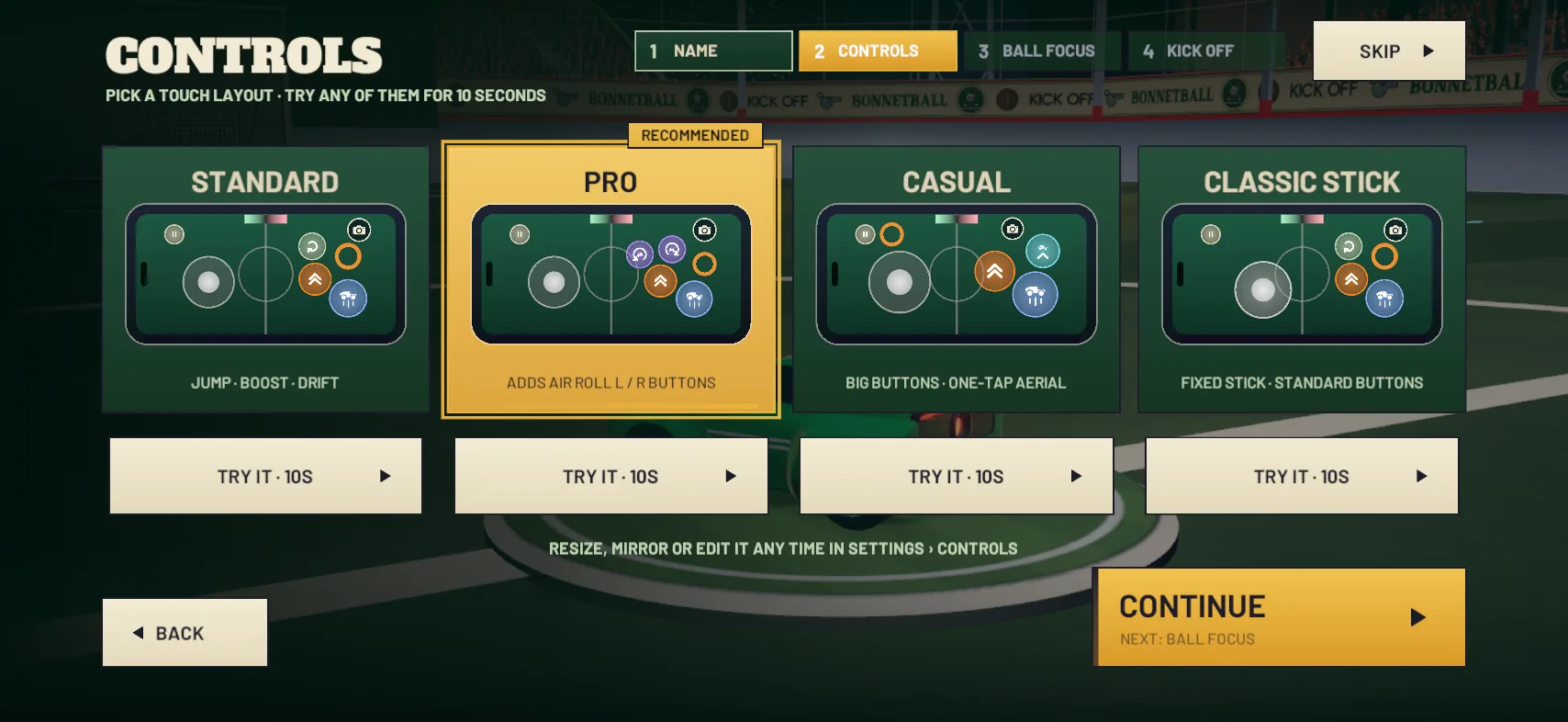
STANDARD’s card on the first-run CONTROLS page sums it up as “JUMP · BOOST · DRIFT”. On the PRO and CLAW layouts, the roll buttons do two jobs: “ON THE GROUND THE ROLL BUTTONS DRIFT; IN THE AIR THEY ROLL THE CAR.” That’s the ROLL BUTTONS DRIFT setting in Settings › Controls › Jump & Flip, and it’s on by default. Either button drifts.

The PRO and CASUAL layouts both keep DRIFT in the tray of hidden controls. To add it, pause a match and open Settings › Controls › Layout › EDIT LAYOUT. On a controller, hold the left face button to drift. It’s the same button that turns the stick into air roll when you’re off the ground.

The CONTROLS screen: STANDARD, PRO, CASUAL and CLASSIC STICK, each with TRY IT

Does DIRECT steering drift for me?

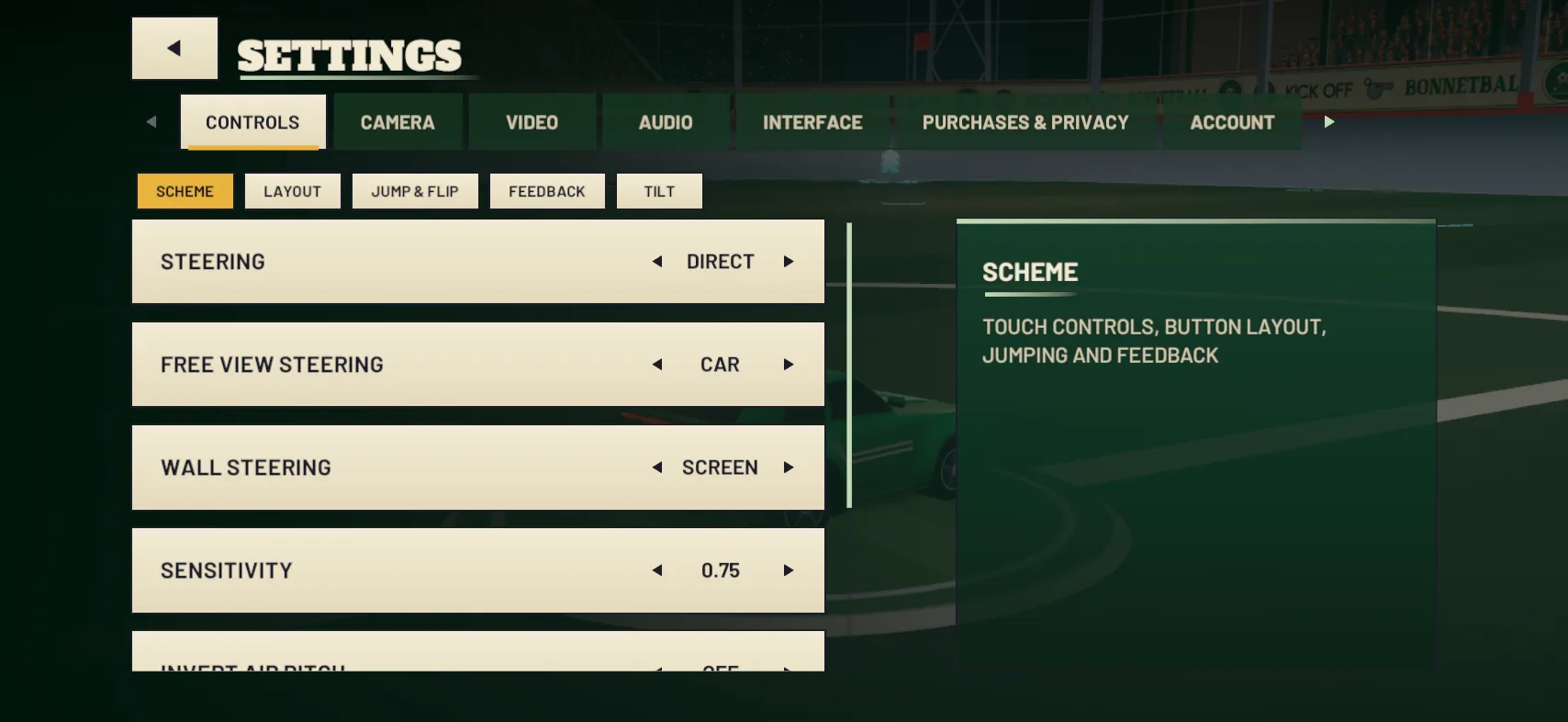
Yes, for sharp turns. DIRECT is the default steering (Settings › Controls › Scheme): the car drives towards wherever you push the stick on screen. Push the stick more than 100 degrees away from where the car is heading, further round than a right angle, while you’re doing 10 m/s or more (36 km/h on the Free Play SPEED readout), and the car drifts on its own.

CLASSIC and TILT steering don’t do this, so with those you drift with the button. Layout and steering are separate choices, and the control layout guide covers both.

Settings › Controls › Scheme: steering, free-view steering, wall steering and sensitivity

When to powerslide in a match

  • Turning back after you overshoot the ball. A drift swings you round to face it again in a tighter loop.
  • Lining up a shot from the side. Slide round so your nose points at the goal before you hit the ball. The game’s tip is to hit the ball with the nose of the car for the strongest shots.
  • Swinging onto a corner pad. The corner pads refill your boost to full, and a drift turns you onto one and back towards play. See how to use boost.
  • Turning right round. For a full about-turn, a half flip is the other option: it turns you round in the air, with no turning circle at all.

Practise it

None of the ADVANCED DRILLS is about drifting, so use Free Play. Tap RESET BALL to put the ball still on the centre spot, drive past it, then drift round and hit it. Or tap BALL TO ME, which puts the ball three metres in front of your nose, moving with your car. Let it roll on ahead, then drift round in a tight circle and come back to hit it.

Watch the SPEED · KM/H readout as you go round, and try to keep the number up through the turn. Use REWIND to go back up to five seconds and take the same turn again.

Common mistakes

  • Holding DRIFT too long. The car keeps swinging and spins out past where you wanted to go. Let go as the nose comes round, because the grip needs half a second to return.
  • Drifting at low speed. When you’re slow, the car already turns tightly, so a drift adds little. Save it for when you’re moving fast.
  • Drifting by accident on the PRO or CLAW layout. On the ground the roll buttons drift, so a finger resting on one makes you slide. If it keeps catching you out, turn ROLL BUTTONS DRIFT off and add a DRIFT button instead.

Updated 20 October 2026

All guides
  • GUIDE · BEGINNER · 4 MIN

    How to play BonnetBall: a beginner’s guide

    New to car football? How a match works, what happens in your first game against the bots, and which moves to learn first.

  • GUIDE · BEGINNER · 4 MIN

    How to win kickoffs

    Hold BOOST all the way and flip into the ball when you’re close. How kickoffs work, the times the KICKOFFS drill asks for and why bots beat you to it.

  • GUIDE · BEGINNER · 3 MIN

    How boost works: pads, the tank and when to save it

    A full tank lasts about three seconds. Where the 34 boost pads are, what each one gives, what TOP SPEED means and when to keep boost in reserve.