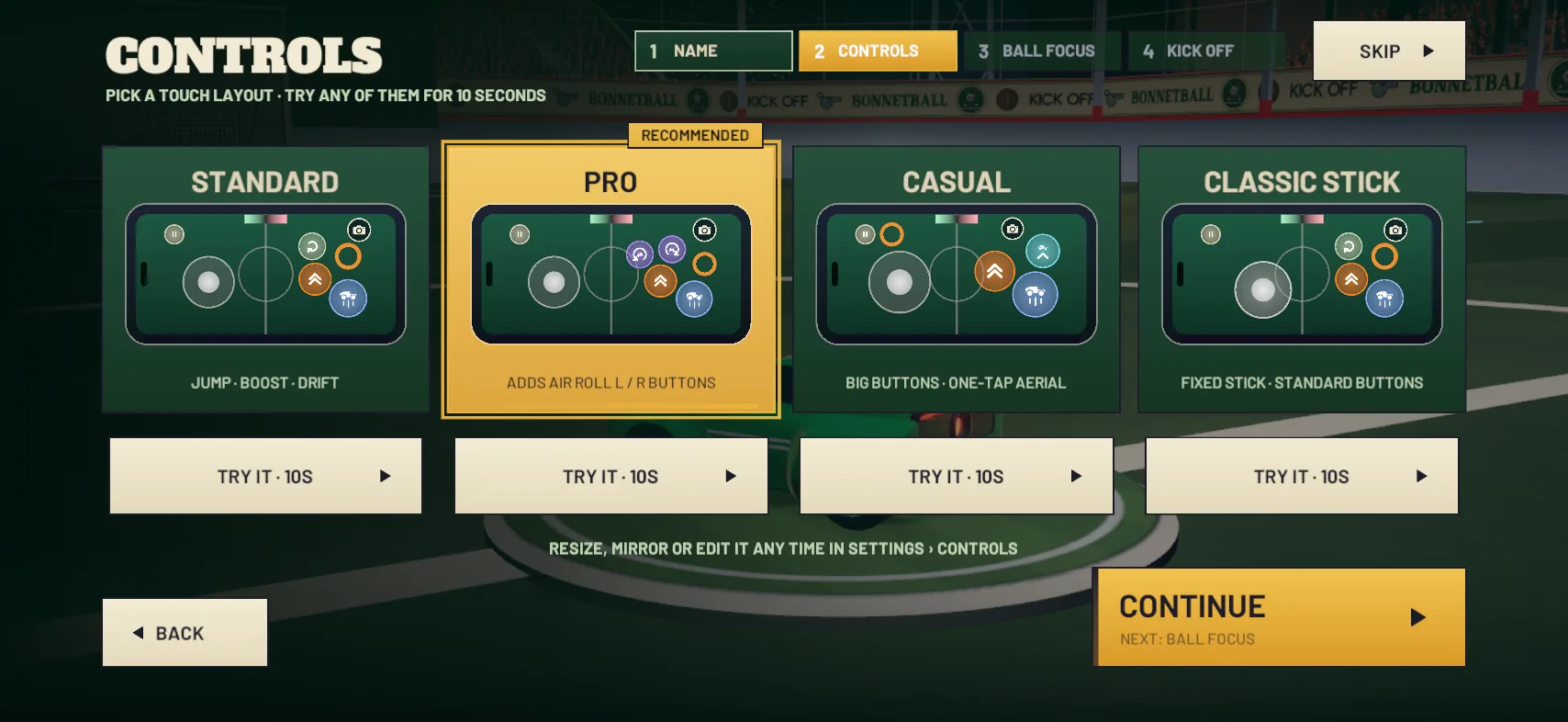
One with roll buttons. On the PRO layout, the default, ROLL L and ROLL R take the roll off the stick, so the stick only has to flip and cancel. CLAW (iPhone only) has roll buttons too, and it’s the layout that puts BOOST and the roll buttons on different fingers: BOOST top right for your right index finger, ROLL L and ROLL R top left for your left index finger.
STANDARD and CLASSIC STICK have no roll buttons, so you roll by holding DRIFT and pushing the stick. The stick is then doing the cancel and the roll at once, which is fiddly. Add ROLL L and ROLL R in EDIT LAYOUT (pause a match, then Settings › Controls › Layout), or switch to the PRO layout. On a controller, the shoulder buttons roll. The control layout guide compares every layout.